The AE Extension For Editors

All Your Presets In One Panel

Presolx keeps every .ffx preset in one panel. Select a layer, click a preset, and the keyframes land exactly where your clip starts and ends.

Get Presolx
v1.0.0After Effects 2022+Windows & macOS
Comp
Presolx
SpeedEmpty
Your own speed presets go here.
Press + to see how it works.
0:00:00:00Comp60 FPS
4.00s · 240 frames

Interactive demo · runs right here in your browser, no After Effects or plugins needed

1 Clickto apply any preset
Win + Macboth installers included
2022+After Effects versions
60 FPSframe-exact keyframes
Features

Built For Fast Edits

01/ 07

Keyframes fit the clip

With Fit To Clip on, keyframes spread evenly from the start of the clip to its end. Two keys, three, five or more. Turn it off and the preset keeps its own timing. Short clip or long clip, every key lands on the right frame, at any frame rate.

  • Fit To Clip
  • Any key count
  • Clip start to end
Presolx
clip_01 · short
clip_02 · long
Spread evenly, at any length
02/ 07

Slowed presets precompose themselves

Speed presets precompose the clip first, with Move all attributes and the comp trimmed to the clip. Playback stays smooth and responsive.

  • Move all attributes
  • Trimmed to clip
  • Automatic
Presolx
Before
clip_03.mp4
Slowed preset↓
After
clip_03.mp4 Comp
Move all attributesTrimmed to clip
03/ 07

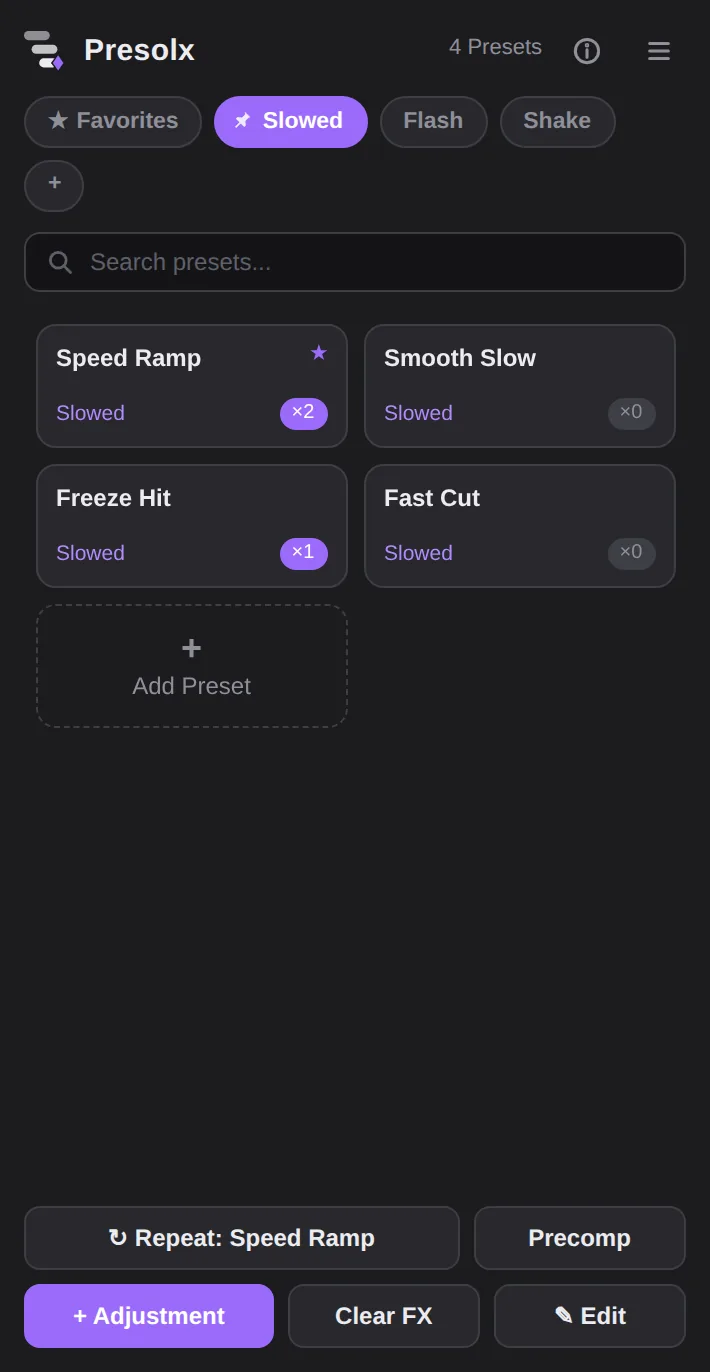
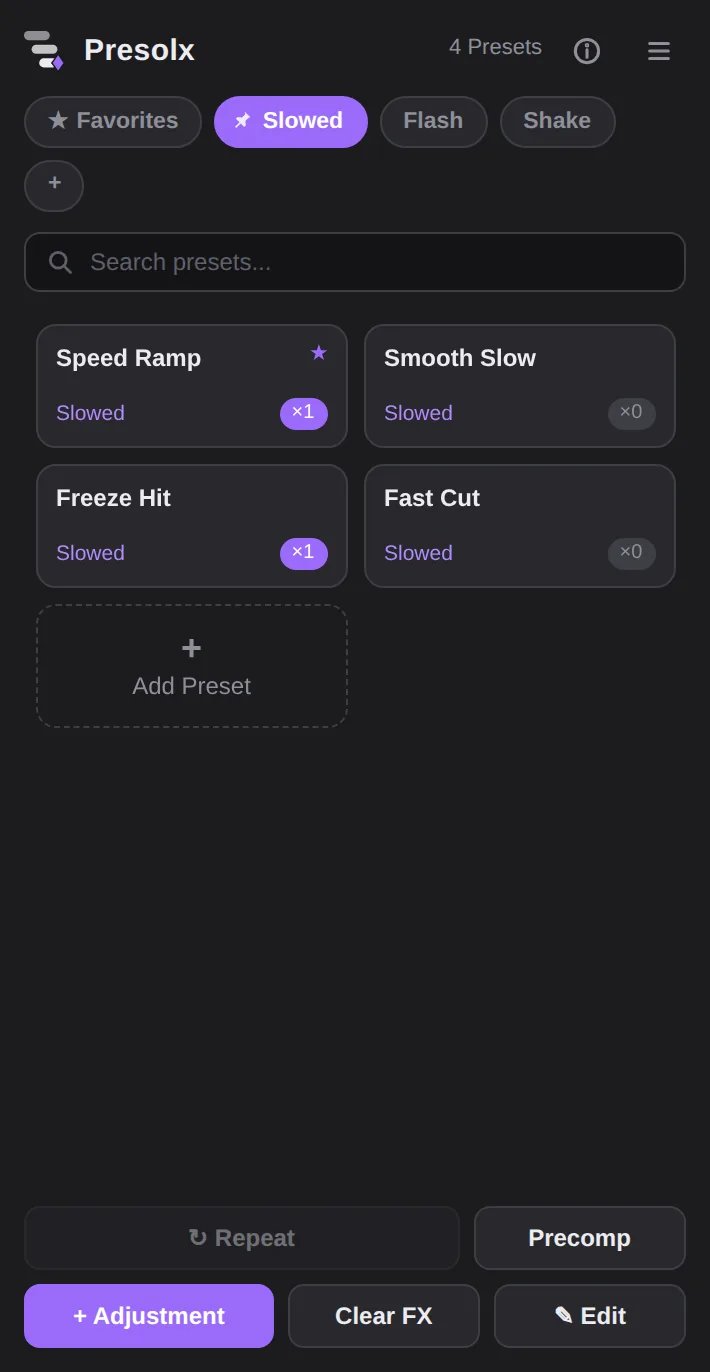
One click, live counter

Select a layer and click a card. The badge on every card shows how many times that preset is in the open comp, and it drops the moment you delete one. On a slower computer, turn on Lite Mode and the panel stays out of the way.

  • Count on every card
  • Updates live
  • Lite Mode
Presolx
Presolx panel with presets and usage counters
04/ 07

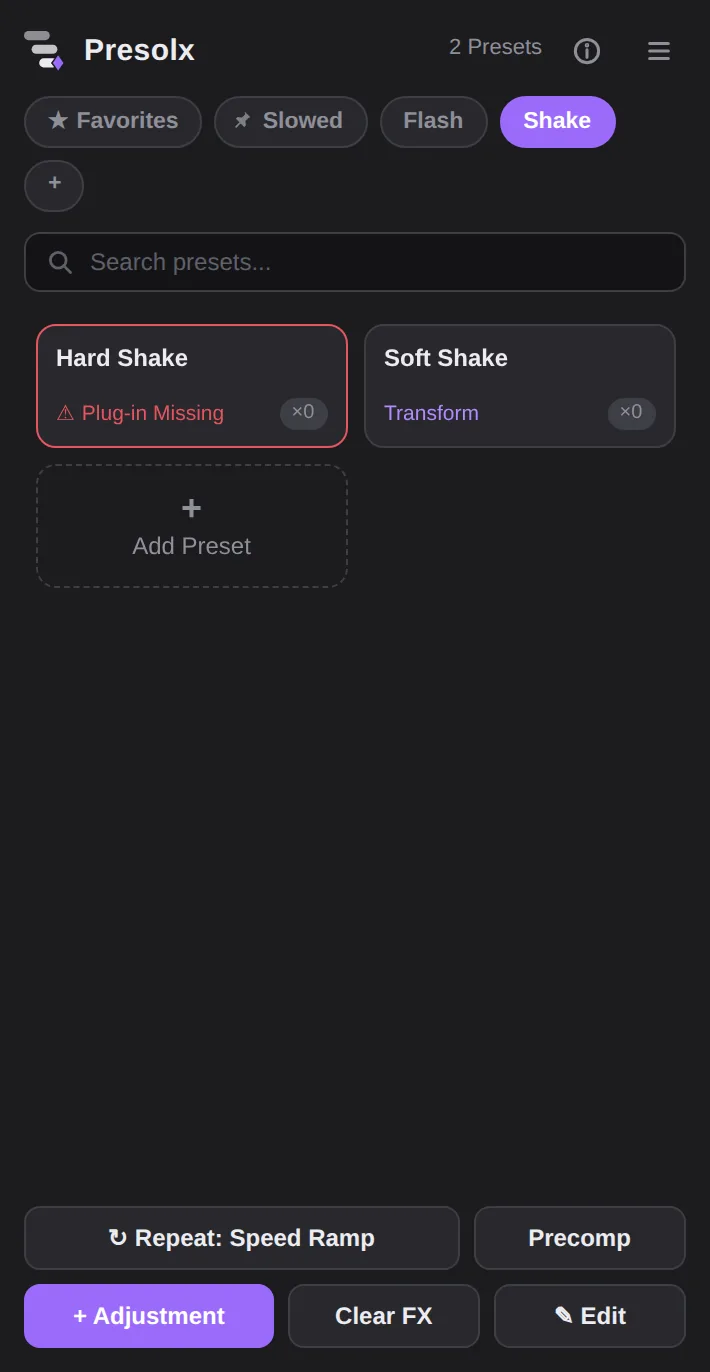
Missing plug-ins turn red

Every card knows what it needs. If a plug-in isn't installed, the card turns red and tells you before you ever click it. No surprise error messages.

  • Plug-in missing
  • Checked on open
Presolx
A preset card turns red when its plug-in is missing
05/ 07

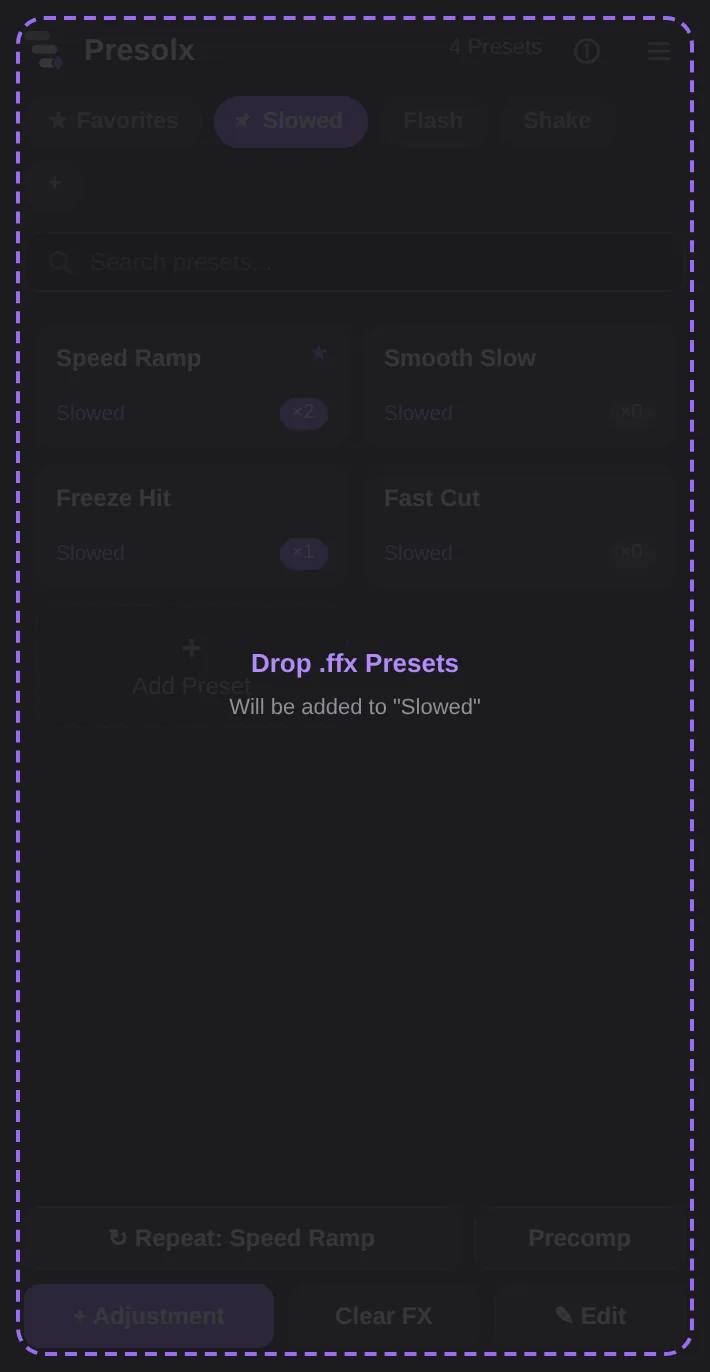
Drag and drop

Drop .ffx files from your folder straight onto the panel. They land in the section you have open, ready to click.

  • Single files
  • Whole folders
Presolx
Dropping .ffx files onto the Presolx panel
06/ 07

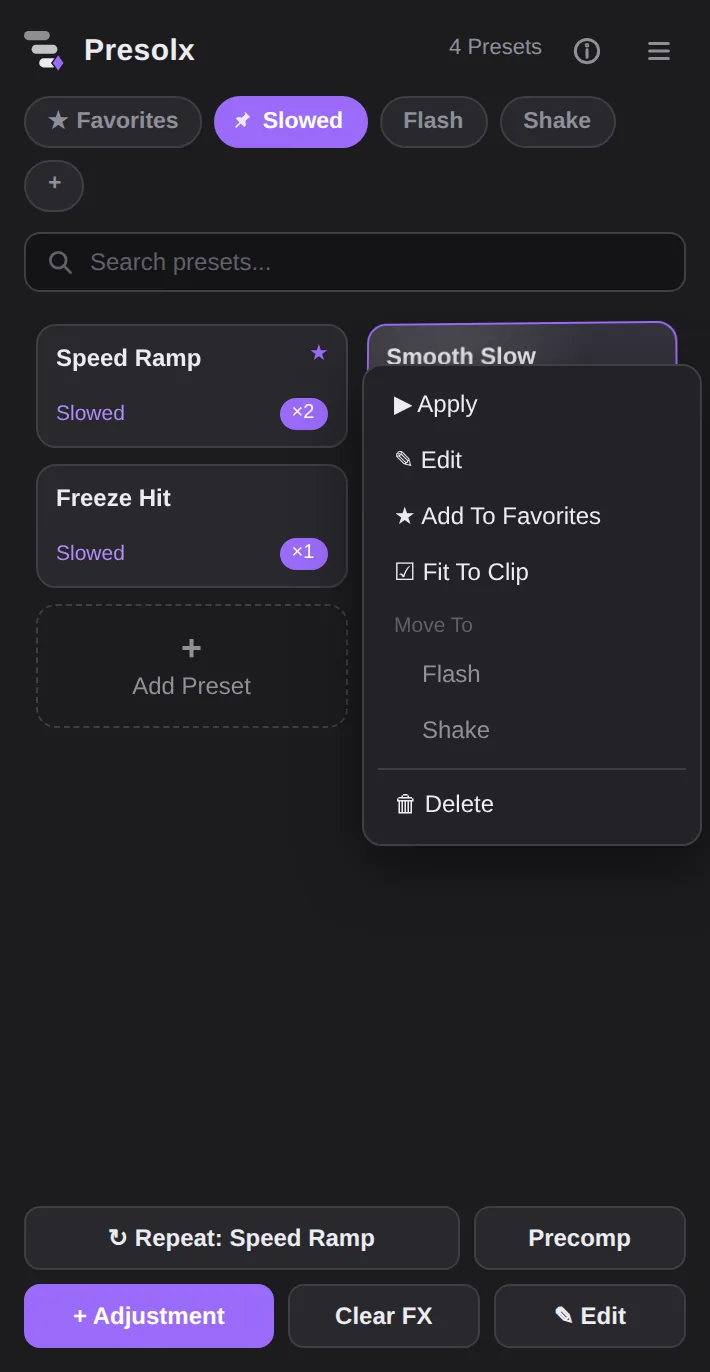
Right-click to organize

Favorite, edit, move between sections or delete, all from the right-click menu. Sections can be pinned, renamed and searched.

  • Favorites
  • Move to
  • Pin
  • Search
Presolx
Right-click menu on a preset card
07/ 07

Quick tools

Repeat the last preset, precompose, add an adjustment layer that matches your clip or clear effects. Each one is a single click.

  • Repeat
  • Precomp
  • Adjustment
  • Clear FX
Presolx
Quick tool buttons at the bottom of the panel
Playground

Drag The Length, Watch The Keys Follow

This is the exact rule Presolx uses when it applies a preset. Pick the keyframe count and change the clip length. In After Effects it works the same at any frame rate.

240 frames
How it works

Three Steps To Your First Click

Get Presolx

One Price, Everything Included

Presolx 1.0.0 works with After Effects 2022 and newer, on Windows and macOS.

PresolxOne-Time
$4.99USD · pay once
  • Every Feature, No Limits
  • Windows And macOS Installers
  • License Key By Email, Right After Checkout
  • One License, One Computer, Move It Anytime
  • No Subscription, No Account Needed
  • Lite Mode For Slower Computers
Buy Presolx · $4.99

Secure checkout by Lemon Squeezy. You get the download and your license key by email.

After You Buy
Recommended For This Computer

Windows

  1. Download Presolx_Windows.zip from your purchase email.
  2. Close After Effects, extract the ZIP and double-click Install_Presolx.bat.
  3. Open Presolx and paste your license key.
Windows 10 / 11 · signed ZXP inside
Recommended For This Computer

macOS

  1. Download Presolx_Mac.zip from your purchase email.
  2. Close After Effects, unzip and double-click Install Presolx.command in the Presolx_Mac folder. If macOS blocks it, open System Settings › Privacy & Security and click Open Anyway.
  3. Open Presolx and paste your license key.
macOS · Intel & Apple Silicon

Your presets and sections stay on your own computer. Presolx only contacts the license server to check your key. Stuck? Get help here.

About Me

Hi, I'm Noisy_aep

I'm an editor and After Effects artist making edits for TikTok. I built Presolx because I was tired of digging through folders for the same presets on every edit. I'll keep adding to it.

Follow @noisy_aep on TikTok
Coming Next: Overlays With Video Previews
Support

Need Help?

Send a message and Noisy_aep will reply to your email, usually within a day or two.

  • Lost Your Key?Search your inbox for the email from Lemon Squeezy. It has your license key and the downloads.
  • New Computer?In Presolx click ⓘ › Deactivate This Computer, then activate your key on the new one.
  • Panel Not Showing?Close After Effects, run the installer again, then open Window › Extensions › Presolx.

Already using Presolx? Click ⓘ › Report A Problem inside the panel and your versions are attached for you.